Analytics & Insights
📊 Make data-driven decisions with AI-powered LeadFunnel insights
LeadDuo helps you understand where your leads come from, how quickly you respond, and how effectively they convert.
📊 Overview Dashboard
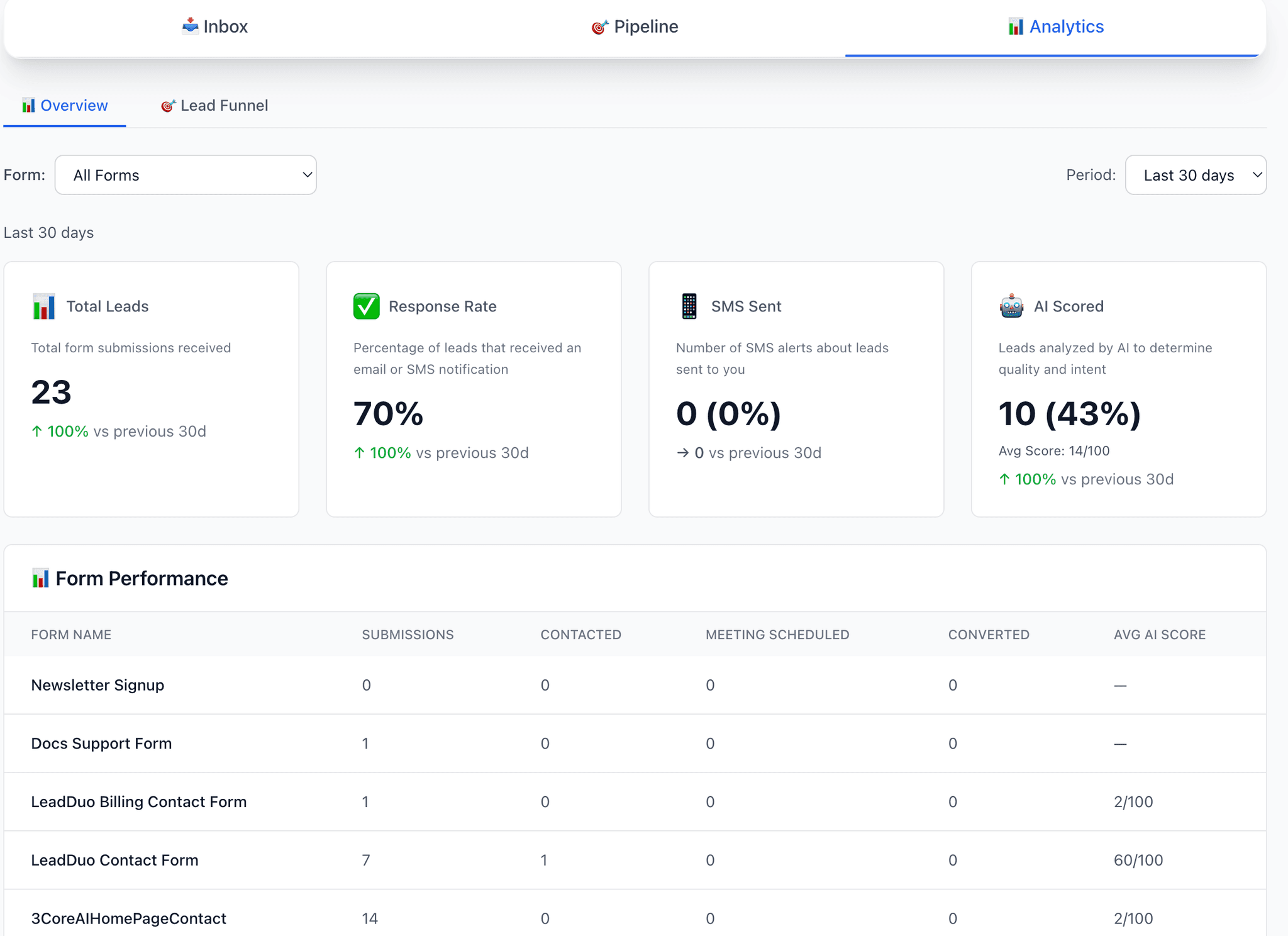
The Overview tab gives you real-time metrics about your leads and notifications.
Included metrics:
- •Total Leads — all submissions across forms
- •Response Rate — % of leads that received an email or SMS alert
- •SMS Sent — number of SMS alerts sent to you
- •Form Performance — shows submissions, contacted leads, meetings scheduled, and conversions per form
- •Form Performance — shows submissions, contacted leads, meetings scheduled, and conversions per form
- •Traffic Sources — see where leads originated (referrer or UTM)
- •Submissions Timeline — daily submission and notification chart
💡 Tip: You can filter results by form and time period (7, 30, or 90 days).
🎯 LeadFunnel
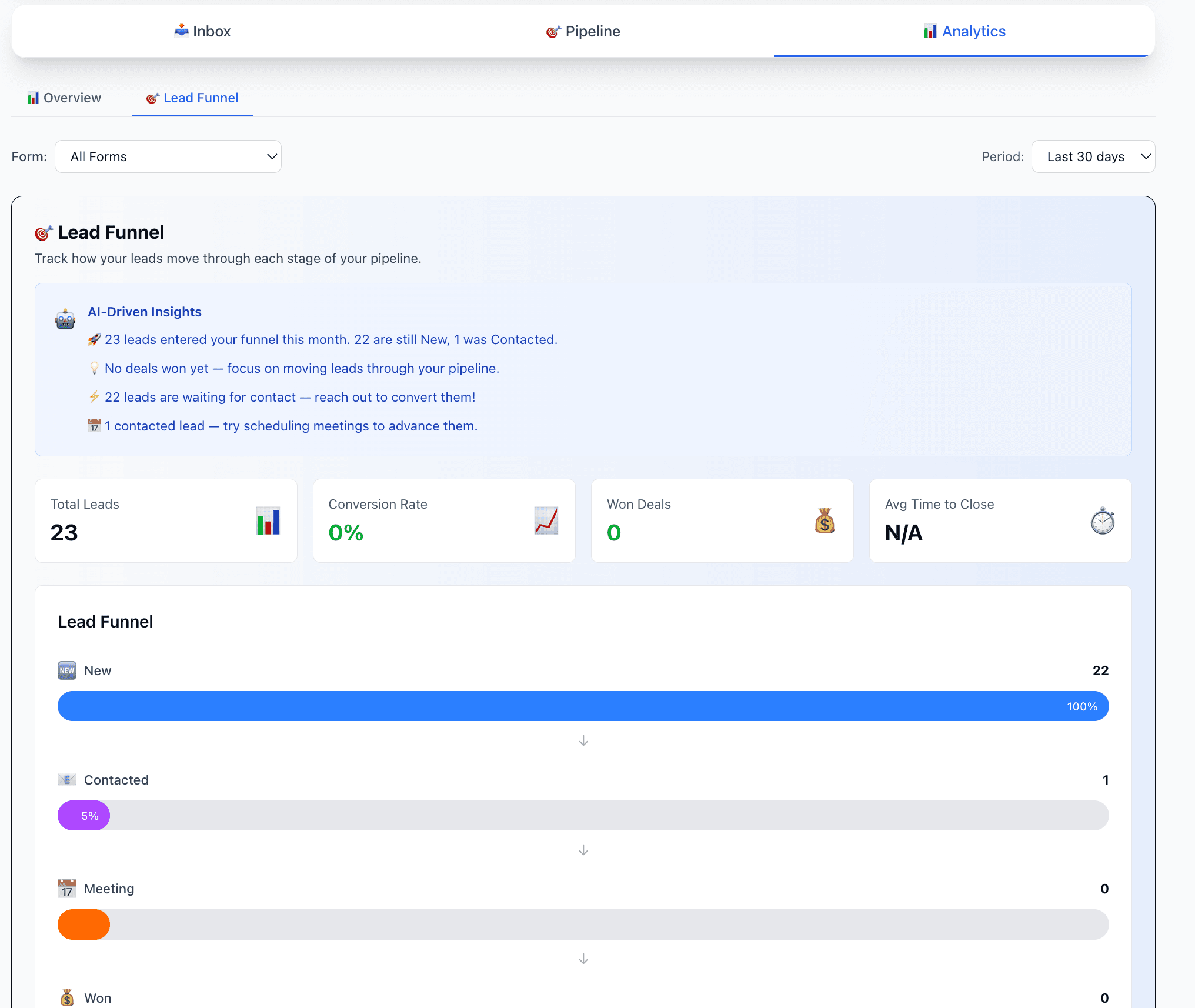
LeadFunnel visualizes how your leads progress through each stage — from first contact to close — using your status updates.
Metrics shown:
- •AI-Driven Insights — analyzes your funnel data and provides actionable recommendations
- •Leads per stage — New, Contacted, Meeting, Won, Lost
- •Conversion Rate — percentage of total leads that converted to Won
- •Average AI Score by stage — see how lead scores correlate with conversion
- •Average time to close — average days from lead submission to Won status
- •Funnel Visualization — visual representation of lead counts at each stage
- •Form Breakdown — compare performance across different forms
💡 Pro Tip: Use LeadFunnel to spot drop-offs early and identify high-scoring leads that need faster follow-ups.
Frequently Asked Questions
What can I track with LeadDuo Analytics?
You can track total leads, response rates, form performance, traffic sources, conversion rates, average time to close, and more. All metrics are available in real-time with customizable time periods (7, 30, or 90 days).
What is LeadFunnel?
LeadFunnel visualizes how your leads progress through each stage (New, Contacted, Meeting, Won, Lost) of your pipeline. It includes conversion rates and insights to help you improve your process.
What are AI-Driven Insights?
AI-Driven Insights analyze your funnel data and provide actionable recommendations. For example, it tells you how many leads are waiting for contact, shows correlation between AI scores and won deals, and identifies areas for improvement in your pipeline. These insights appear at the top of the LeadFunnel tab and give you clear next steps.
Which plans include Analytics?
LeadInbox and Overview Analytics are available on all plans, including Free. LeadFunnel with advanced insights is available on Lite plan and above.
How does AI scoring correlate with conversions?
LeadFunnel shows the average score for each stage. Typically, won leads have higher scores than new or lost leads. This helps you understand why you should prioritize high-scoring leads for faster follow-ups.
Can I export my lead data?
Yes! You can export your lead submission data, including AI scores, as CSV files. This allows you to run your own analysis, share with your team, or import into your CRM. Status updates and action history are currently available only within LeadInbox.
Can I use Analytics without AI Scoring?
Yes, you can access Overview Analytics on any Lite plan and above. LeadFunnel provides deeper insights into your funnel, and basic performance metrics remain available on all plans.